About Rambler GPX Navigation pro
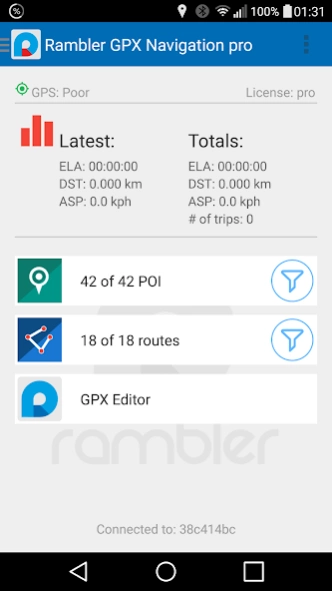
This application allows to use data in GPX (GPS eXchange) format, such as routes and POI (Points Of Interest), for navigation purposes on Android Wear smart watches. It comes with a free, open source companion app (you'll...
This application allows to use data in GPX (GPS eXchange) format, such as routes and POI (Points Of Interest), for navigation purposes on Android Wear smart watches. It comes with a free, open source companion app (you'll be prompted to install), which allows to prepare your own routes and POI. You can also take advantage of the large base of bicycle and hiking GPX trails available on the Internet, or convert GPX tracks from your activity tracker into routes.
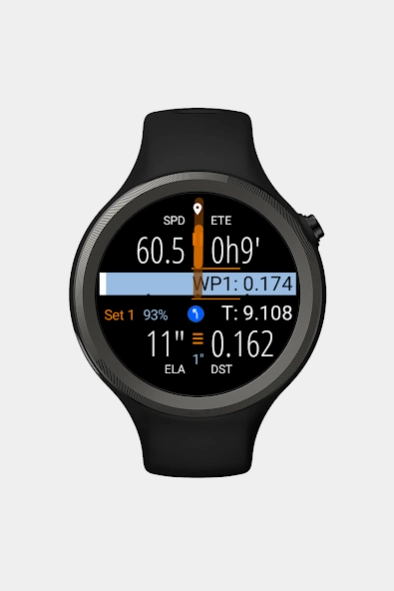
The application offers two watch faces to choose from. Besides telling time, they display full set of navigation data: direction pointer, route point hints, and more in configurable screen widgets: speed, average speed, maximum speed, speed made good, estimated time en route, estimated time of arrival, time elapsed, distance made, time and date, altitude, steps counter, time of sunrise, time of sunset, time to sunrise, time to sunset, heading, bearing, and distance off course. Choose 8 of them to use in the Classic watch face or define 3 switchable sets of 4 widgets in the Active watch face.
The application works great as a cyclocomputer, but may become your companion during any other outdoor activity, as a useful addition to activity trackers. It also stores basic stats on time, speed and distance.
Supported languages:
English
German
Polish
More info you'll find in the manual at https://github.com/nwg-piotr/RamblerGPXEditor/wiki .
Previous Versions
Here you can find the changelog of Rambler GPX Navigation pro since it was posted on our website on 2016-10-11 12:58:02.
The latest version is 2.5.0.0 and it was updated on 2024-04-28 03:19:19. See below the changes in each version.
Rambler GPX Navigation pro version 2.5.0.0
Updated At: 2017-07-31
Changes: GXP edition moved to the external Rambler GPX Editor (open source). Manual route point hints abandoned (all the route point hints generated automatically). Navigation to POI includes a bonus feature: you can ask the OSRM Demo Server for a route. Google Maps replaced with the OpenStreetMap.
Rambler GPX Navigation pro version 2.1.3.0
Updated At: 2016-09-01
Changes: Bug fixes:,- the altitude value displayed according to the units settings (used to be always in meters);,- error while saving some navigation settings fixed.,Some more info: 'nwg testers' G+ community.
Disclaimer
Official Google Play Link
We do not host Rambler GPX Navigation pro on our servers. We did not scan it for viruses, adware, spyware or other type of malware. This app is hosted by Google and passed their terms and conditions to be listed there. We recommend caution when installing it.
The Google Play link for Rambler GPX Navigation pro is provided to you by apps112.com without any warranties, representations or guarantees of any kind, so access it at your own risk.
If you have questions regarding this particular app contact the publisher directly. For questions about the functionalities of apps112.com contact us.